Email marketing remains one of the most practical ways for businesses to communicate with prospects and customers. However, sending occasional newsletters is only one part of a successful email marketing strategy. Businesses increasingly need to segment their audiences, personalize messages, automate follow-ups, test different campaigns, and understand what recipients do after receiving an email.
That is where Zoho Campaigns can become an important part of a modern marketing workflow.
Zoho Campaigns is an email marketing platform designed to help businesses create campaigns, manage contacts, segment audiences, automate customer journeys, personalize communications, conduct A/B testing, and measure campaign performance. The platform also supports broader multichannel marketing capabilities, including SMS and WhatsApp options.
Whether you are a small business owner, startup founder, freelancer, ecommerce marketer, agency, or marketing professional, learning how to use Zoho Campaigns can help you move from manually sending emails to building repeatable marketing systems.
In this guide, you will learn how to use Zoho Campaigns step by step, how to create email campaigns, organize contacts, build automated workflows, segment subscribers, test campaigns, analyze results, improve deliverability, and develop a practical email marketing strategy.
What Is Zoho Campaigns?
Zoho Campaigns is an email marketing and marketing automation platform that allows businesses to communicate with their audiences through targeted campaigns and automated customer journeys.
At its simplest level, you can use Zoho Campaigns to:
- Create professional email campaigns
- Import and manage contacts
- Build subscriber lists
- Segment audiences
- Personalize emails
- Create automated workflows
- Nurture leads
- Send newsletters
- Run promotional campaigns
- Conduct A/B tests
- Track email engagement
- Analyze campaign performance
- Connect with other applications
- Extend marketing into SMS and WhatsApp
Zoho currently highlights contact management, personalization, automation, A/B testing, analytics, multichannel marketing, and AI-powered marketing among its Campaigns capabilities.
The important distinction is that Zoho Campaigns is not simply a tool for sending an email blast.
The real value of an email marketing platform comes from what happens before, during, and after the email is sent.
For example, imagine that someone downloads a guide from your website.
Instead of manually sending that person three or four follow-up emails, you can create an automated sequence:
Download guide → Welcome email → Educational email → Product information → Follow-up → Sales notification
That is the basic idea behind marketing automation.
How to Get Started With Zoho Campaigns
Getting started with Zoho Campaigns involves several basic steps. You need an account, an audience, a campaign objective, and a plan for what you want your subscribers to do after receiving your messages.
Zoho provides a quick-start process covering account setup, contact importing, signup forms, campaign creation, and campaign measurement.
Step 1: Create Your Zoho Campaigns Account
Start by creating or accessing your Zoho account and opening Zoho Campaigns.
If you are evaluating the platform, you can explore the available plan options and determine which features and contact capacity match your business requirements.
The current Zoho Campaigns pricing structure includes a Forever Free plan, Standard, Professional, and Pay-as-you-go options. Zoho currently lists the Forever Free plan with up to 2,000 contacts and 6,000 emails per month, while paid plans provide additional functionality and higher capacity.
Step 2: Define Your Marketing Objective
Before creating your first campaign, decide what you want the email to accomplish.
Your goal could be:
- Generate leads
- Promote a product
- Welcome new subscribers
- Drive website traffic
- Increase purchases
- Educate prospects
- Announce a product
- Re-engage inactive subscribers
- Promote an event
- Build customer loyalty
A clear objective makes it much easier to choose the right audience, message, CTA, and follow-up strategy.
Step 3: Build Your Contact Database
You need contacts before you can build meaningful email campaigns.
Zoho Campaigns supports importing contacts through file uploads, integrations, and APIs. You can also use signup forms to collect new subscribers.
Your contact database might include:
- First name
- Last name
- Email address
- Company
- Location
- Customer status
- Purchase history
- Lead source
- Interests
- Engagement information
The more useful information you collect legitimately, the more relevant your future campaigns can become.
Step 4: Organize Your Audience
Do not treat every subscriber as identical.
A customer who purchased from you last week may need a very different message from someone who downloaded a free guide six months ago.
This is where lists, topics, tags, and segments become important.
Step 5: Create Your First Campaign
Once your audience is ready, create an email campaign.
Choose the appropriate audience, select or create an email design, write your content, add your CTA, preview the message, test it, and schedule or send it.
Step 6: Measure the Results
After sending your campaign, examine the available performance information.
Look at metrics such as:
- Delivery
- Opens
- Clicks
- Click-through behavior
- Unsubscribes
- Bounces
- Engagement
Zoho Campaigns provides reporting and analytics designed to help marketers understand campaign performance and recipient activity.
How to Create an Email Campaign in Zoho Campaigns
Creating an email campaign should begin with the audience and objective rather than the email design.
Ask yourself:
Who is receiving this email, why are they receiving it, and what should they do next?
Once those questions are answered, the campaign becomes much easier to build.
Choose Your Audience
Your audience could be:
- All subscribers
- New leads
- Existing customers
- Recent purchasers
- Newsletter subscribers
- Trial users
- Inactive subscribers
- A specific geographic group
- A behavioral segment
The more relevant the audience, the more opportunity you have to make the message useful.
Choose an Email Template
A professional template can save time and help maintain consistent branding.
Look for a design that:
- Works on mobile devices
- Has clear hierarchy
- Makes the CTA obvious
- Is easy to scan
- Provides enough white space
- Matches your brand
Zoho Campaigns includes template and drag-and-drop design capabilities, with additional template functionality available depending on the plan.
Write a Strong Subject Line
Your subject line determines whether a recipient is interested enough to examine the email.
Instead of vague subjects such as:
Our Latest Update
consider something more specific:
5 Ways to Reduce Your Monthly Marketing Workload
The second subject communicates a potential benefit.
Create Useful Email Content
Your email should have one primary purpose.
For example:
Goal: Promote a webinar
The email could include:
- The problem the webinar addresses
- What the recipient will learn
- Who should attend
- The date and time
- A clear registration CTA
Avoid trying to make one email accomplish five unrelated objectives.
Personalize the Message
Personalization can go beyond inserting someone’s first name.
You can potentially personalize based on:
- Interests
- Customer type
- Previous activity
- Purchase behavior
- Location
- Engagement
- Business characteristics
Zoho Campaigns supports personalization and dynamic content capabilities, with some advanced functionality dependent on plan level.
Preview and Test Before Sending
Before launching a campaign, check:
- Subject line
- Sender name
- Spelling
- Links
- Images
- CTA
- Mobile presentation
- Personalization
- Footer information
- Unsubscribe functionality
A simple test email can prevent embarrassing mistakes.
How to Segment Contacts in Zoho Campaigns
One of the most important concepts in email marketing is segmentation.
Segmentation means dividing your audience into groups according to characteristics or behaviors.
For example, instead of sending one promotion to 10,000 contacts, you could create different audiences for:
- Existing customers
- Prospects
- High-engagement subscribers
- Inactive subscribers
- Customers interested in a specific product
- Customers in a particular location
Zoho Campaigns allows segments to be created using criteria such as geography, demographics, behavior, purchasing patterns, and engagement. Dynamic segments can also automatically include contacts that meet the defined criteria.
Geographic Segmentation
You might create segments based on:
- Country
- State
- City
- Region
This can be useful when promotions, events, products, or messaging differ by location.
Behavioral Segmentation
Behavior can be even more valuable.
You could distinguish between subscribers who:
- Open emails regularly
- Click frequently
- Never engage
- Click specific types of content
- Purchased a product
- Abandoned a cart
Behavior-based segmentation can help you make your emails more relevant.
Engagement Segmentation
Consider separating:
Highly engaged subscribers
from:
Subscribers who have not interacted recently
Those groups should not necessarily receive the same message.
Your engaged audience might receive product recommendations, while inactive subscribers could enter a re-engagement sequence.
How to Automate Email Marketing With Zoho Campaigns
Automation is one of the most powerful reasons to use a marketing platform.
Instead of manually remembering when to send every email, you can create workflows that respond to triggers and conditions.
Zoho Campaigns workflows use triggers, processes, and actions. Current workflow capabilities include scenarios such as welcome sequences, nurturing, re-engagement, customer retention, ecommerce, and conditional workflows.
Welcome Email Automation
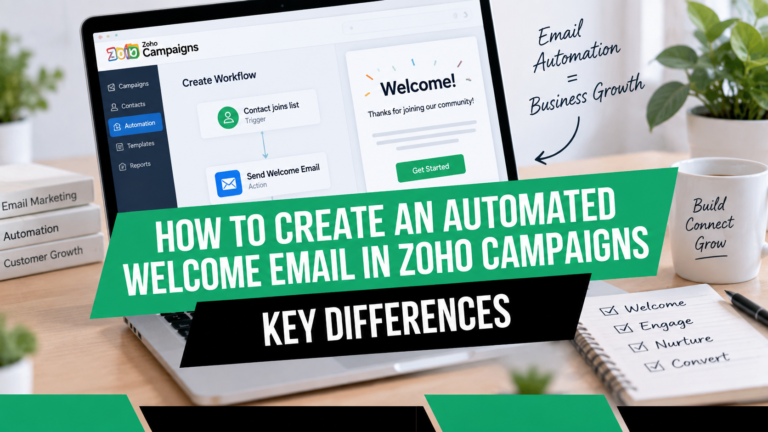
When someone subscribes to your mailing list, you can automatically send a welcome message.
A basic sequence might look like:
Day 0: Welcome email
Day 2: Helpful educational resource
Day 5: Product or service introduction
Day 8: Customer story or case study
Day 12: Invitation to take the next step
This gives your new subscriber a structured experience without requiring manual work.
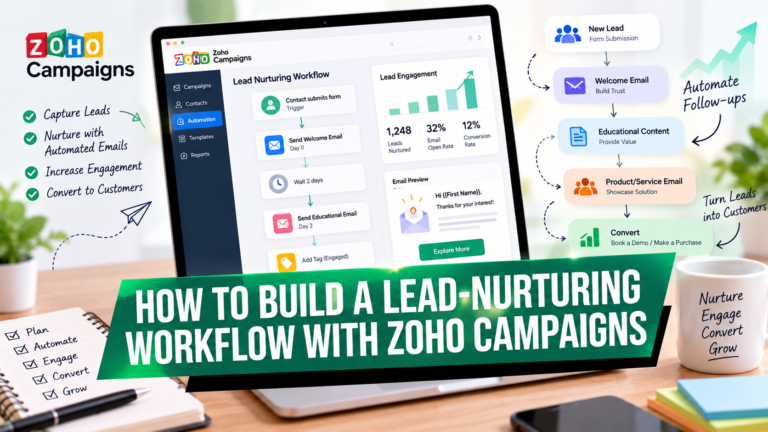
Lead-Nurturing Automation
Not every lead is ready to buy immediately.
A nurturing workflow can provide useful information over time.
For example:
New lead → Educational content → Product information → Case study → Offer → Sales follow-up
The objective is not simply to send more emails.
The objective is to send the right information at the right stage.
Re-Engagement Automation
Some subscribers eventually stop opening emails.
Rather than continuing to send the same messages indefinitely, you can create a re-engagement workflow.
A possible sequence:
No engagement → Reminder → Valuable offer → Preference update → Final re-engagement message
You can then use the results to determine how to manage inactive subscribers.
Ecommerce Automation
For ecommerce businesses, automation can support:
- Abandoned-cart reminders
- Purchase follow-ups
- Product promotions
- Customer feedback
- Repeat-purchase campaigns
- Customer retention
Zoho Campaigns currently lists abandoned-cart and purchase follow-up workflows among its ecommerce automation capabilities.
Event and Webinar Automation
You can also build automated sequences for events.
For example:
Registration → Confirmation → Reminder → Event-day message → Follow-up → Recording or offer
This can reduce the amount of repetitive communication your team needs to manage manually.
How to Use Zoho Campaigns for Lead Nurturing
Lead nurturing is the process of developing relationships with prospects who are not yet ready to purchase.
A good lead-nurturing campaign should answer questions progressively.
For example:
Stage 1: Awareness
Explain the problem.
Stage 2: Education
Show possible solutions.
Stage 3: Evaluation
Explain why different approaches may work.
Stage 4: Consideration
Introduce your product or service.
Stage 5: Decision
Provide proof, demonstrations, offers, or consultations.
This approach is more useful than immediately asking every new subscriber to buy.
Zoho Campaigns workflows can use triggers and conditions based on contact activity and attributes, allowing different contacts to follow different paths through an automated journey.
How to Use A/B Testing in Zoho Campaigns
A/B testing allows marketers to compare different versions of a campaign.
Instead of asking:
“Which email do I think will work?”
you can ask:
“Which version produced the stronger measured response?”
Zoho Campaigns supports A/B testing for elements such as subject lines, sender details, and email content. The platform can also use performance data to determine a winning version and send it to the remaining audience.
Test Subject Lines
Example:
Version A:
5 Ways to Improve Your Email Marketing
Version B:
Are Your Email Campaigns Missing These 5 Opportunities?
Test Calls to Action
You might compare:
Learn More
against:
See How It Works
Test Email Content
You could compare:
- Short vs. long copy
- Product-focused vs. educational content
- One CTA vs. multiple CTAs
- Different layouts
- Different offers
The key is to test deliberately.
If you change everything at once, it becomes harder to understand what influenced the result.
How to Use Zoho Campaigns Analytics
Sending an email is not the end of the campaign.
It is the beginning of the learning process.
Analytics can help you understand what happened after your message was sent.
Zoho Campaigns provides reporting across campaign activity and also provides dashboards for supported marketing channels and contact/ecommerce information.
Delivery Metrics
Look at whether messages were successfully delivered.
A delivery problem may indicate:
- Invalid addresses
- Bounces
- Technical issues
- Reputation problems
Open Metrics
Opens can provide directional information about subject-line and engagement performance, although marketers should avoid treating opens as a perfect measure of human attention.
Click Metrics
Clicks can tell you whether recipients interacted with your content.
If many people open an email but few click, consider reviewing:
- CTA placement
- Offer clarity
- Copy
- Relevance
- Landing-page alignment
Unsubscribe Metrics
Unsubscribes can provide an important signal.
If a particular campaign produces unusually high unsubscribe activity, examine:
- Audience targeting
- Message frequency
- Content relevance
- Expectations set during signup
Conversion Tracking
Ultimately, your most important metric depends on your business objective.
For an ecommerce company, that might be revenue.
For a B2B company, it could be qualified leads.
For a publisher, it could be subscriptions or readership.
Do not optimize an email campaign around a metric simply because it is easy to measure.
How to Improve Email Deliverability With Zoho Campaigns
Good email marketing starts with permission and relevance.
No marketing platform can compensate for poor list-building practices.
Use Permission-Based Lists
Only email people who have appropriately agreed to receive your communications.
Avoid purchasing random email lists.
Purchased lists may contain:
- Invalid addresses
- Uninterested recipients
- Spam traps
- People who never requested your messages
Authenticate Your Sending Domain
Domain authentication helps establish trust and supports email delivery practices.
Follow the authentication and sender-domain setup instructions provided by your email marketing platform and domain provider.
Maintain a Healthy Contact Database
Regularly review your database.
Look for:
- Repeated bounces
- Long-term inactivity
- Invalid contacts
- Unsubscribed contacts
- Duplicate records
Avoid Excessive Sending
More email does not automatically mean more revenue.
Your frequency should match:
- Audience expectations
- Business model
- Content value
- Customer lifecycle
- Engagement
Make Emails Useful
One of the best deliverability strategies is also one of the simplest:
Send people information they actually want.
Zoho’s own guidance emphasizes permission-based sending, domain authentication, list hygiene, and monitoring campaign metrics as part of responsible email marketing.
Zoho Campaigns AI Features
Artificial intelligence is increasingly becoming part of email marketing workflows.
Zoho Campaigns currently promotes AI-assisted capabilities that can help generate and refine campaign content, including subject lines, email copy, plain-text emails, SMS, and WhatsApp messages.
AI can be useful for:
- Generating initial copy
- Brainstorming subject lines
- Creating variations
- Improving clarity
- Developing campaign ideas
- Personalizing content
However, AI-generated content should still be reviewed by a human.
Your audience does not need generic AI language.
They need useful information written in a voice that makes sense for your business.
A practical workflow is:
AI draft → Human review → Brand adjustment → Accuracy check → Audience review → Send
How Much Does Zoho Campaigns Cost?
Zoho Campaigns currently provides several pricing approaches.
The current pricing page lists:
- Forever Free
- Standard
- Professional
- Pay-as-you-go
The Forever Free plan currently supports up to 2,000 contacts and 6,000 emails per month. Paid plans provide additional functionality and are based on contact tiers, with feature availability varying by plan.
Because pricing, limits, and product features can change, businesses should check the current Zoho Campaigns pricing page before making a purchasing decision.
The more important question is not simply:
“What does Zoho Campaigns cost?”
It is:
“Which capabilities does my business actually need?”
For example, a small business that only needs basic email campaigns may have different requirements from an ecommerce company that needs advanced segmentation, automation, and purchase-related workflows.
Who Should Use Zoho Campaigns?
Zoho Campaigns can be relevant to many types of organizations.
Small Businesses
Small businesses can use email marketing to stay connected with prospects and customers without requiring a large marketing department.
Potential campaigns include:
- Newsletters
- Promotions
- Welcome emails
- Customer updates
- Educational campaigns
Startups
Startups can use automation to build repeatable customer communication systems while their teams remain small.
Ecommerce Businesses
Ecommerce marketers can use campaigns and automation for:
- Product announcements
- Promotions
- Abandoned carts
- Purchase follow-ups
- Customer retention
Agencies
Agencies can use email marketing for client campaigns, newsletters, lead nurturing, and automated communication.
Freelancers and Consultants
Consultants can use campaigns to:
- Build an audience
- Share educational content
- Nurture leads
- Promote services
- Maintain client relationships
Marketing Teams
Larger marketing teams can use segmentation, automation, testing, analytics, and integrations to create more sophisticated customer journeys.
Best Zoho Campaigns Use Cases
There are many ways to use Zoho Campaigns beyond sending a weekly newsletter.
1. Newsletter Marketing
Send valuable information regularly to subscribers.
2. Lead Nurturing
Educate prospects until they become ready for a sales conversation.
3. Customer Onboarding
Help new customers understand your product or service.
4. Product Announcements
Notify customers about new products, features, services, or updates.
5. Ecommerce Promotions
Promote relevant products and offers.
6. Abandoned-Cart Recovery
Remind shoppers about products they left behind.
7. Customer Retention
Keep existing customers engaged after purchase.
8. Re-Engagement
Reconnect with subscribers who have become inactive.
9. Event Marketing
Promote registrations and automate event communication.
10. Webinar Follow-Up
Follow up with attendees and people who registered but did not attend.
11. Customer Feedback
Request feedback after purchases or interactions.
12. Educational Marketing
Build trust by consistently teaching your audience something useful.
Zoho Campaigns Integration and Workflow Opportunities
Modern email marketing rarely operates in isolation.
Your contact data may originate from:
- Website forms
- CRM systems
- Ecommerce platforms
- Lead-generation campaigns
- Events
- Customer databases
- APIs
- Other business applications
Zoho Campaigns supports integrations with Zoho and third-party applications, while contact data can also be imported through APIs and other supported methods.
This creates opportunities to build connected marketing processes.
For example:
Website form → Contact database → Email workflow → CRM update → Sales task
Or:
Online purchase → Customer update → Follow-up email → Review request → Retention campaign
The goal is to eliminate unnecessary manual steps.
Best Zoho Campaigns Tips for Better Email Marketing
1. Start With the Audience
Do not begin with:
“What email should I send?”
Begin with:
“Who needs this information?”
2. Have One Primary Goal
Every campaign should have a primary purpose.
3. Write for Humans
Avoid corporate jargon and unnecessary complexity.
4. Make Your CTA Obvious
Tell the reader what to do next.
5. Segment Your Audience
Relevant content generally makes more sense than sending everyone the same message.
6. Automate Repetitive Communication
If you send the same sequence repeatedly, consider whether a workflow could handle it.
7. Test Important Campaigns
Use A/B testing when you have enough audience and a meaningful hypothesis.
8. Review Your Analytics
Do not send campaigns and forget about them.
9. Keep Your Database Clean
A healthy audience is an important foundation for email marketing.
10. Respect Subscriber Preferences
People should be able to control the types of communications they receive.
Zoho Campaigns includes topic-management functionality that can help contacts receive communications relevant to their preferences.
How to Build a Zoho Campaigns Email Marketing Strategy
Using the software is only one part of success.
You also need a strategy.
A simple strategy can be built around five stages.
Stage 1: Attract
Use:
- Website content
- SEO
- Social media
- Lead magnets
- Webinars
- Advertising
- Signup forms
to attract potential subscribers.
Stage 2: Capture
Give visitors a legitimate reason to subscribe.
Examples include:
- Free guide
- Checklist
- Newsletter
- Webinar
- Discount
- Educational series
Stage 3: Nurture
Send helpful content that addresses your audience’s questions and problems.
Stage 4: Convert
Once a subscriber demonstrates sufficient interest, present an appropriate offer.
Stage 5: Retain
Continue providing useful information after the purchase.
This can turn a one-time transaction into a longer customer relationship.
How to Create a Simple Zoho Campaigns Automation Funnel
Here is an example that a small business could adapt.
Email 1: Welcome
Timing: Immediately
Thank the subscriber and deliver whatever they requested.
Email 2: Education
Timing: 2 days later
Teach them something relevant to the problem they are trying to solve.
Email 3: Problem Awareness
Timing: 3 days later
Explain common mistakes or challenges.
Email 4: Solution
Timing: 3 days later
Introduce your product, service, or solution.
Email 5: Social Proof
Timing: 3 days later
Share a customer story, case study, demonstration, or results.
Email 6: CTA
Timing: 2–4 days later
Ask the subscriber to take the next logical action.
The workflow can then branch based on engagement.
For example:
Clicked → Send additional information
Did not click → Send educational follow-up
Zoho Campaigns workflows support conditions and multiple paths, making these types of behavior-based journeys possible.
How to Get Started With Zoho Campaigns
If you are looking for an email marketing platform that combines campaign creation, audience management, automation, segmentation, testing, analytics, and broader marketing capabilities, Zoho Campaigns is worth exploring for your particular requirements.
The best way to evaluate any marketing platform is to use your actual business scenario.
Think about:
- How many contacts do you have?
- How frequently do you send emails?
- Do you need automation?
- Do you need segmentation?
- Do you sell online?
- Do you need CRM integration?
- Do you need A/B testing?
- Do you need advanced analytics?
- Do you want additional communication channels?
Once you know what you need, compare those requirements with the current Zoho Campaigns plans and features.
Ready to Explore Zoho Campaigns?
If you want to explore Zoho Campaigns and see whether it fits your email marketing workflow, you can get started here:
Disclosure: This is an affiliate link. If you make a qualifying purchase through the link, the publisher may receive a commission at no additional cost to you.
Frequently Asked Questions About Zoho Campaigns
What is Zoho Campaigns used for?
Zoho Campaigns is used to create, send, automate, personalize, and analyze marketing communications. Businesses can use it for newsletters, lead nurturing, customer engagement, promotions, ecommerce campaigns, and automated workflows.
Is Zoho Campaigns free?
Yes. Zoho currently offers a Forever Free plan with up to 2,000 contacts and 6,000 emails per month. Paid plans provide additional features, capacity, and functionality. Always check the current pricing information before selecting a plan.
How do I create an email campaign in Zoho Campaigns?
Create or import your audience, choose the appropriate recipients, select or design an email, write your subject line and content, configure tracking and other options, preview and test the message, and then schedule or send it.
Can Zoho Campaigns automate emails?
Yes. Zoho Campaigns provides workflows that can automatically send messages based on triggers, conditions, contact attributes, and engagement behavior. Current workflow capabilities include welcome, nurture, re-engagement, retention, ecommerce, and conditional workflows.
Can I segment contacts in Zoho Campaigns?
Yes. Contacts can be segmented according to criteria such as geography, demographics, behavior, purchasing patterns, and engagement. Zoho also supports dynamic segments that can automatically include contacts who meet the selected criteria.
Does Zoho Campaigns support A/B testing?
Yes. Zoho Campaigns supports A/B testing of elements including subject lines, sender details, and email content. Campaign performance can be compared to determine which version performs better.
Can Zoho Campaigns integrate with Zoho CRM?
Zoho Campaigns supports integrations with Zoho applications and third-party applications, enabling businesses to connect marketing activities with other parts of their business technology stack.
Can Zoho Campaigns be used for ecommerce?
Yes. Zoho Campaigns includes ecommerce-oriented capabilities such as abandoned-cart and purchase follow-up workflows, along with ecommerce reporting capabilities.
Does Zoho Campaigns support SMS and WhatsApp marketing?
Zoho currently promotes multichannel capabilities that include email, SMS, and WhatsApp marketing. Availability and specific functionality can depend on the applicable plan or add-on.
Is Zoho Campaigns suitable for small businesses?
It can be suitable for small businesses that need email marketing, audience management, automation, and campaign analytics. The appropriate plan depends on the business’s contact volume, sending requirements, and required features.
What is the best way to learn Zoho Campaigns?
Start with a simple campaign, learn contact management and segmentation, then build a basic automated workflow. Once you understand those fundamentals, move into A/B testing, analytics, advanced segmentation, personalization, and more sophisticated customer journeys.
Final Thoughts
Zoho Campaigns can be used for much more than sending newsletters.
Its broader capabilities allow businesses to build an email marketing system around the entire customer journey—from acquiring subscribers and organizing contacts to nurturing leads, sending personalized communications, automating follow-ups, testing campaigns, and analyzing results.
The most effective approach is not to use every feature simply because it exists.
Instead, start with one business problem.
Maybe you need to welcome new subscribers.
Maybe you want to nurture leads.
Maybe you need to recover abandoned carts.
Maybe your existing email campaigns generate opens but very few clicks.
Maybe your marketing team spends too much time manually sending repetitive follow-ups.
Choose one problem and build a simple workflow around it.
Then measure what happens.
From there, you can gradually introduce segmentation, personalization, A/B testing, advanced automation, analytics, and additional marketing channels.
That is how Zoho Campaigns can become more than an email-sending tool. It can become part of a repeatable marketing process that helps you communicate with the right audience, deliver more relevant messages, and make better decisions based on campaign data.
Ready to explore Zoho Campaigns?
Get started with Zoho Campaigns
About the Author